
Overview
The OIDC Bridge Service lets traditional Identity and Access Management (IAM) systems accept Verifiable Credential (VC) based login using standard OpenID Connect (OIDC). It acts as an OIDC Identity Provider (IdP): your IAM system integrates with it exactly like any other OIDC provider, and users log in by presenting a credential from their wallet instead of a username and password.
The OIDC Bridge Service is controlled by the oidc-bridge feature flag. Enable it by adding it to enabledFeatures in your _features.conf.
Use Cases
- VC-enabled SSO — Let users log into enterprise applications with their digital identity credentials.
- IAM modernization — Add VC support to existing Keycloak, Ory, Auth0, Okta, or Azure Entra ID deployments without custom integration code.
- Passwordless authentication — Replace passwords with cryptographically verified credentials such as an mDL (mobile Driver's License).
- Data minimization — Use selective disclosure credentials to request only the claims you need.
- Trust enforcement — Accept credentials only from trusted issuers via the Trust Registry Service.
How It Works
The OIDC Bridge sits between your IAM system and the holder's wallet. To the IAM system it looks like a standard OIDC provider; behind the scenes it uses the Verifier2 Service to request and validate the credential presentation, and the Key Management Service to sign the issued ID tokens. Both must be created before the bridge — see Setup.
Loading diagram...
- The application redirects the user to the IAM system to log in.
- The IAM system offers a "Login with Verifiable Credential" option and redirects to the OIDC Bridge
authorizeendpoint. - The OIDC Bridge creates a Verifier2 presentation request and shows a branded presentation selection page.
- The user presents a credential from their wallet using one of the enabled flows.
- Verifier2 validates the presentation and the OIDC Bridge extracts claims using the configured claim mappings.
- The OIDC Bridge returns an authorization code to the IAM system.
- The IAM system exchanges the code at the
tokenendpoint for an ID token (and access token) containing the mapped claims. - The IAM system creates or updates the user account and completes the login.
Supported Standards
| Area | Support |
|---|---|
| OIDC Protocol | OpenID Connect 1.0, Authorization Code Flow (PKCE supported) |
| Credential Formats | SD-JWT VC (IETF), W3C VC (v1.1+, v2.0), ISO 18013-5 mDL |
| Presentation Flows | Cross-device (QR code), Same-device (deep link), Digital Credentials API, Web Wallet redirect |
| Signature Algorithms | ed25519, secp256k1, secp256r1, RSA |
| Token Formats | JWT (ID token), opaque (access token) |
Credential validation, presentation flows, and signature support are provided by the Verifier2 Service — see its documentation for the authoritative list of supported formats and options.
Core Capabilities
- Multi-flow presentation — Four presentation methods (QR code, Digital Credentials API, deep link, web wallet), each individually enabled and customizable. See Multi-Flow Configuration.
- Flexible claim extraction — Map credential attributes to OIDC claims with JSONPath, with optional transforms (
NONE,LOWERCASE,UPPERCASE,hash_sha256). Works with both namespaced (mDL) and flat (SD-JWT VC) claim structures. See Claim Mappings. - Multi-client support — A single OIDC Bridge instance can serve multiple IAM systems, each with its own client credentials, redirect URI allowlist, scopes, and claim mappings.
- Credential query (DCQL) — Request specific credentials and attributes using DCQL. The query lives in the flow's
verificationSetup, which is the Verifier2VerificationSessionSetup— see Verifier2 credential verification and the DCQL concept for the full shape. - UI customization — Brand name, primary color, logo, and per-flow button labels on the presentation selection page.
Presentation selection page:
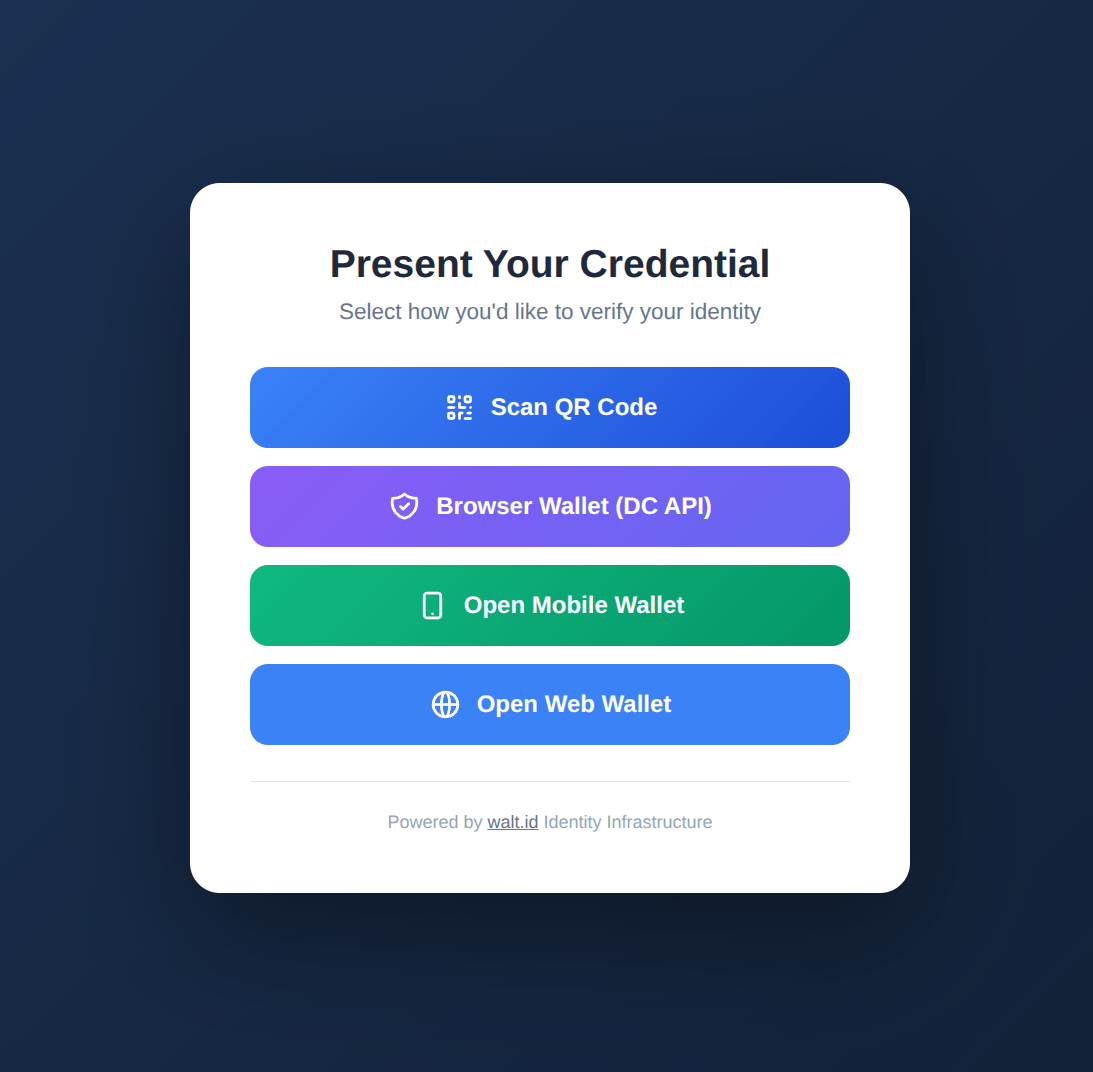
Users see all enabled flows with your configured button labels, brand name, and primary color.
OIDC Endpoints
The bridge exposes a standard, discoverable OIDC surface under /v1/{org}.{tenant}.oidc-bridge/oidc-bridge-api/. Point your IAM system at the discovery document (.well-known/openid-configuration) and it resolves the authorize, token, jwks, and userinfo endpoints automatically. See Setup to verify them.
IAM System Compatibility
The OIDC Bridge implements standard OIDC 1.0 and works with any compliant IAM system:
- Keycloak (tested — see Keycloak Integration)
- Ory, Auth0, Okta, Azure Entra ID, Google Identity Platform
- Any OIDC-compliant relying party
Security Features
- PKCE (Proof Key for Code Exchange) — Required for all authorization flows
- Client authentication — Supports client_secret_post and client_secret_basic
- State parameter — CSRF protection
- Nonce parameter — Replay attack prevention
- Token expiration — Configurable ID token and access token lifetimes
- Redirect URI validation — Strict allowlist enforcement
- Session timeout — Configurable presentation timeout (default: 5 minutes)
Getting Started
- Setup — Create and configure an OIDC Bridge service.
- Keycloak Integration — Step-by-step guide for Keycloak.
- Claim Mappings — Map credential attributes to OIDC claims.
- Multi-Flow Configuration — Set up the QR, DC API, deep link, and web wallet flows.